
Tiny version
A graph is a picture of where the system gets too loud, too quiet, or too late.
A graph is a picture of where the system gets too loud, too quiet, or too late.
Use this page when you need to tell the difference between a real bass hump, a cancellation dip, a harmless slope, and a graph that only looks scary because of scale.
The later sections keep the more technical graphs, but the first job is to learn the shapes before the jargon.
The frequency-response graph is the most useful picture in tuning because it turns "something sounds off" into something you can point at. The goal is not a perfectly pretty line. The goal is knowing which shape matters enough to fix.
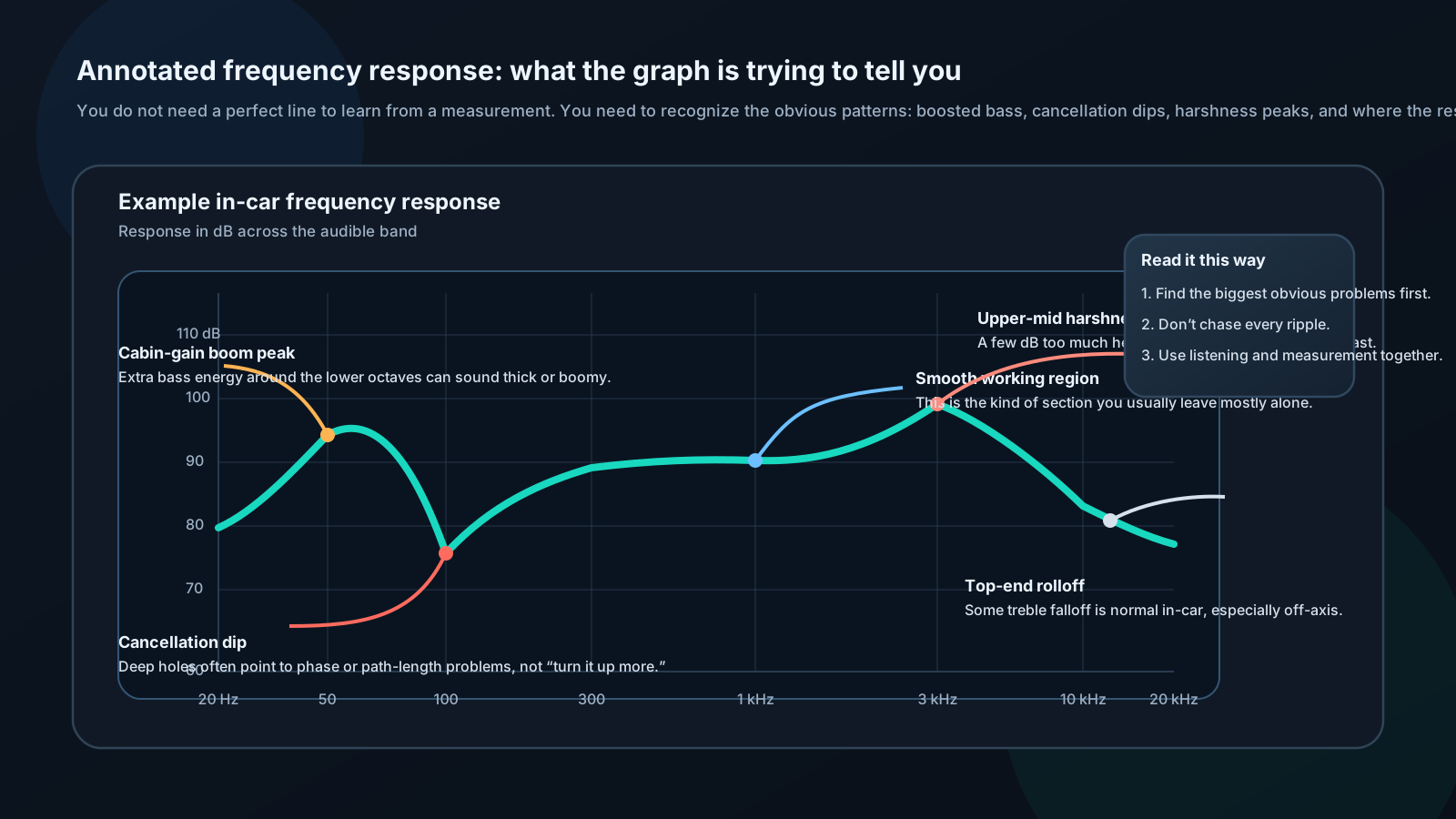
People often chase every tiny wiggle. Start with the big shapes first: the obvious hump, the obvious dip, or the obvious overall tilt.
The same curve can look calm or terrifying depending on the vertical range. That is why the first question is not "is this flat?" It is "what scale am I looking at?"
| Shape word | What it looks like | What it usually means |
|---|---|---|
| Bump | Upward hill | Too much energy in that range, often resonance or an over-strong target |
| Hole | Sharp dip | Cancellation, phase mismatch, or a bad crossover handoff |
| Rolloff | Line falls away | Natural limit of the driver or a filter doing its job |
| Ripple | Repeated little waves | Interference or reflections |
| Smooth zone | Mostly even line | A region that probably does not need heroic fixing |
Look at the first graph again and answer these in order:
Worked example: if the graph shows a wide hump around 70 to 90 Hz and the sub sounds thick or trunk-heavy, start by checking sub level, crossover overlap, and placement before throwing EQ at every narrow wiggle.
Other graph types still matter, but they are easier once the basic shape reading is clear.
Use impedance graphs to find resonance, enclosure tuning clues, and odd load behavior.
Use waterfall plots to spot energy that hangs on too long after the main signal should have stopped.
Use phase graphs when the crossover handoff looks wrong even though the levels look close.
Use group delay when the bass feels slow or disconnected and you need to see whether timing smear is part of the story.