
🔰 BEGINNER LEVEL: Why Steering Wheel Controls Matter
The Problem
You install a new head unit. Your steering wheel has audio controls — volume up/down, source/skip, answer phone. The factory head unit understood these buttons. Your new aftermarket head unit does not.
Two options: Give up steering wheel controls (bad for safety and daily convenience) or add a steering wheel control interface module.
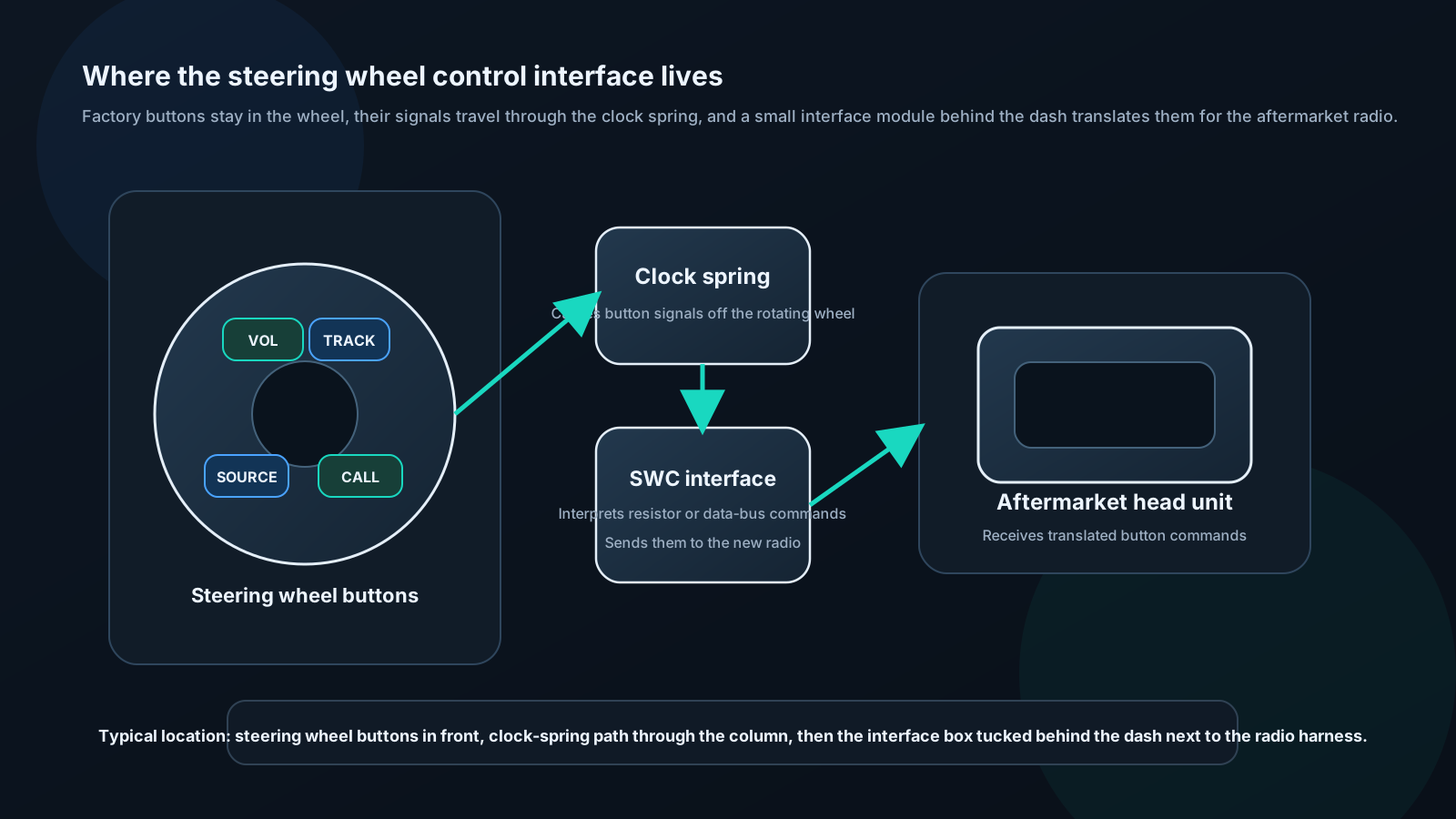
How Factory Steering Wheel Controls Work
Resistor-based systems (most common):
The steering wheel contains a resistor ladder network. Each button connects a different resistor value to ground through the clock spring.
The head unit reads voltage on a single wire: - No button: 5V (full voltage) - Volume up: 4.2V (small resistor to ground) - Volume down: 3.8V - Track skip: 3.0V - Source: 2.4V - Answer/end call: 1.8V - etc.
Interface module reads these voltages and translates to aftermarket head unit commands.
CAN Bus-based systems (modern vehicles):
Newer vehicles transmit SWC commands digitally on the CAN Bus network. The steering wheel doesn't directly create an analog voltage — it sends a data message.
The interface module reads CAN Bus and translates digital messages to the analog format the aftermarket head unit expects.
Selecting and Installing an Interface
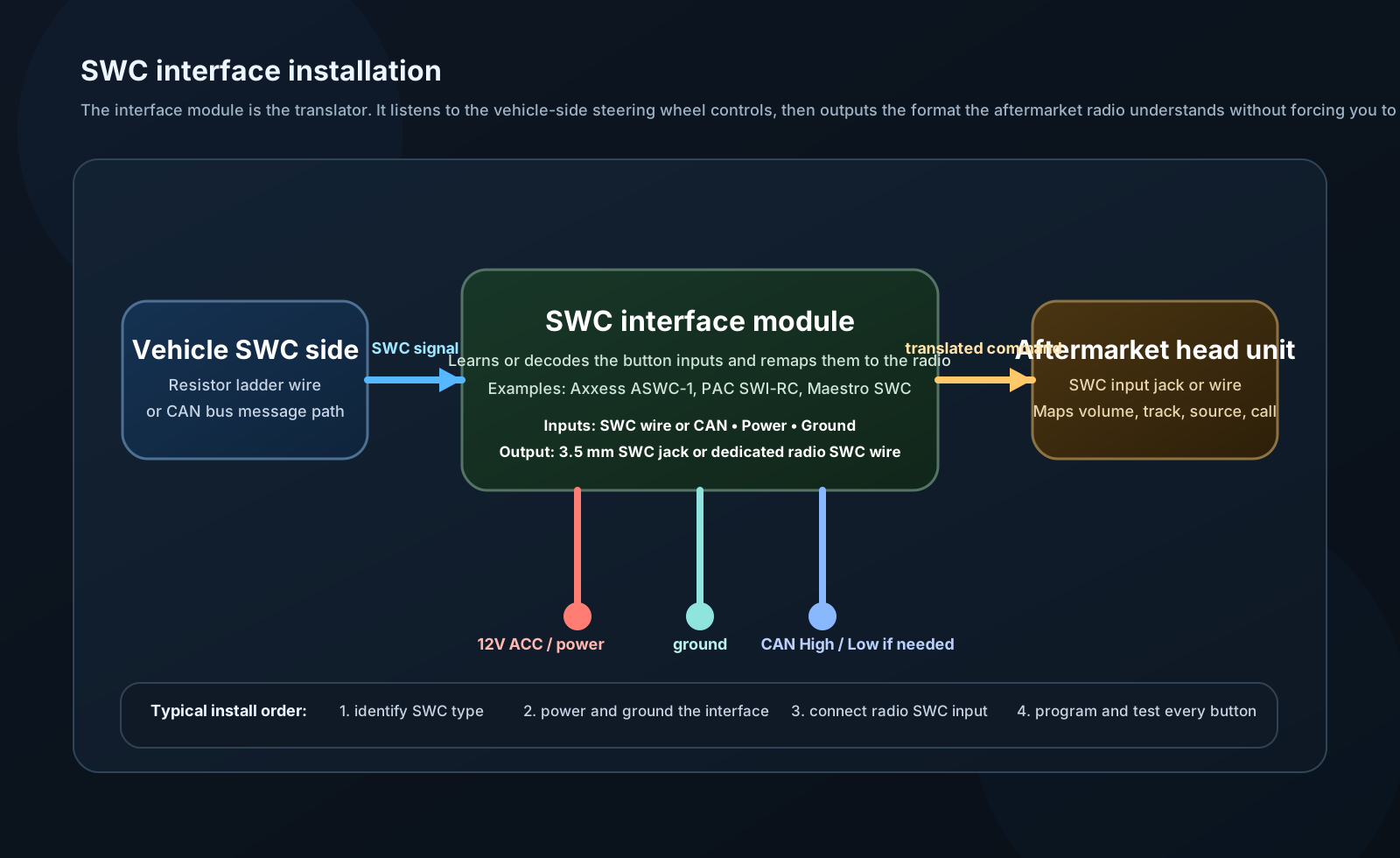
Brands:
- Axxess ASWC-1: Universal learning adapter. Learns vehicle's SWC signals and outputs to head unit. Works with both resistor and many CAN-based systems. $50.
- PAC SWI-RC: Programmable, vehicle-specific. $40.
- iDatalink Maestro SWC: Part of broader Maestro integration ecosystem. $50–100.
- iSimple IS31: Budget option, basic functionality. $20.
Installation:
- Connect vehicle SWC wire (usually a dedicated color, check vehicle wiring diagram)
- Connect power and ground to module
- Connect output wire to head unit SWC input (3.5mm jack or dedicated wire)
- Program module: Press each SWC button in sequence while module stores
- Test all buttons
Programming ASWC-1:
- Connect all wires
- Key on, head unit on
- Module enters learn mode (LED indicator)
- Press each steering wheel button in sequence (5–10 seconds each)
- Module maps each to head unit command
- Done